Tutorials / Getting started
Build, run and read the log
What happens when you press Build and run, the states of the simulation, the build log and its clickable errors, stop and restart, and why a build can wait in a queue.
What Build and run does
Your project is sent to a real compiler — the same toolchain used for the physical board — and the resulting firmware is loaded into an emulated chip that boots and executes it. Nothing is interpreted or faked: if the code does not compile on a board, it does not compile here, with the same message and the same line number.
The status on the right of the top bar tells the story:
| Status | Meaning |
|---|---|
| Connected | The lab is talking to the server; nothing is running. |
| Building | The compiler is working on your code. The build log fills up as it goes. |
| Queued | The server is busy with other people's builds or simulations; yours will start as soon as a slot frees up. It happens in a classroom when everyone presses the button at once. |
| Starting | The firmware is being loaded and the chip is booting. |
| Running | Your code is executing. The canvas and the serial monitor are live. |
| Stopped | The simulation ended — you stopped it, the code crashed, or the time limit was reached. |

The first build of a project takes a while — the whole Arduino core is compiled once. Builds after that reuse what did not change and are much faster. A project with libraries installs them on its first build, which adds to that first wait.
The build log
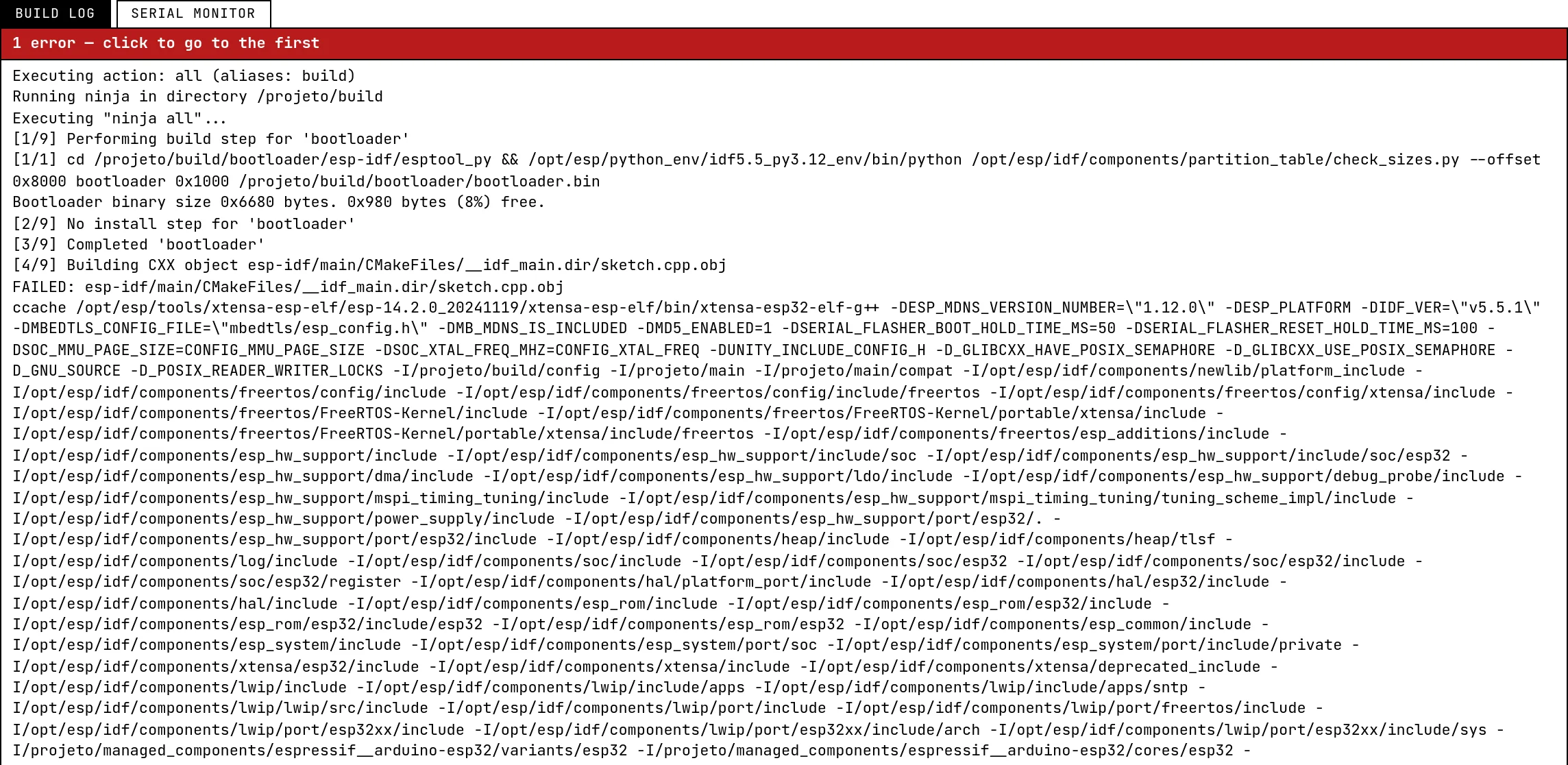
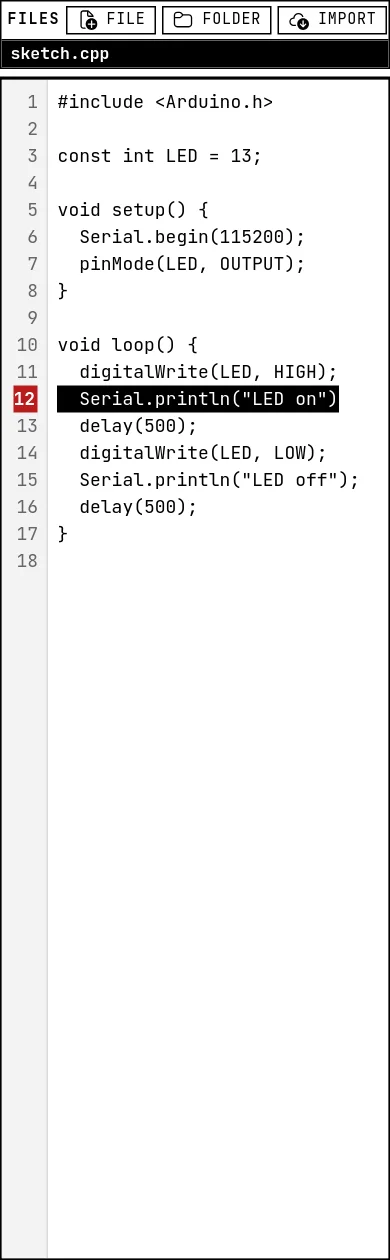
When a build fails, the lab switches to the Build log tab and takes you to the first error. Every diagnostic in the log is clickable. The log is kept until the next build, so you can go back and read a warning after the simulation started. Lines starting with [STANNUM] are messages from the lab itself, not from the compiler.
Stop, restart, and “firmware out of date”
The square button stops the simulation; the circular arrow restarts the firmware without rebuilding — the chip reboots and setup() runs again, like the reset button on a board. If you edit the code while the simulation runs, a chip saying firmware out of date appears next to the status: what is running is not what is on the screen anymore. Press Build and run to catch up.

A simulation stops by itself after 20 minutes, with a line in the serial monitor saying so. It is a shared server: the limit keeps forgotten tabs from holding a slot forever. Press Build and run again to continue.
Editing while it runs
Everything on the canvas is live while the simulation runs: press buttons, drag sliders, change a setting on a card — the firmware sees it immediately. What needs a rebuild is only the code. Moving a wire to another pin while running does not rebuild anything either, but remember the firmware still uses the GPIO number written in the code.
See also
- The serial monitor — Reading what the firmware prints, typing to the board, and an example that takes commands from the monitor.
- A tour of the lab — Every area of the screen and what it is for: the top bar, the files and the editor, the canvas and its toolbar, the output panel, and the datasheet card.
- Project libraries — Adding an Arduino library to a project: searching the official index, pinning a version, using a .zip from a URL, and what happens on the next build.