Tutorials / Getting started
Projects, files and examples
Where your work lives, how Save and Open work, files and folders in a project, the examples gallery and the keyboard shortcuts.
Where your work lives
Your work stays in your browser, not on the server. The lab saves a working copy on every change, so reloading the page, closing and reopening the browser brings back exactly what you had. Nothing about your project is stored on the server beyond what the simulation needs to run.
The cost of that is plain: clearing the browser's data, switching to another machine or using a private window loses what you did not download. Which is why Save does two things.
Save and Open
Project → Save project (Ctrl+S) asks for a name the first time, then:
- keeps the project in this browser's list, under Open project…;
- downloads a
.zipwith a folder inside: your code as it is in the Files panel —sketch.cpp,lib/…, real.cppand.hfiles you can open in any editor or in the Arduino IDE — plus astannum.jsonwith what only the simulator understands: the circuit, the libraries and the name. That zip is the durable copy: keep it, share it, open it anywhere.
Save as… keeps a copy under another name. To rename, double-click the name in the top bar.
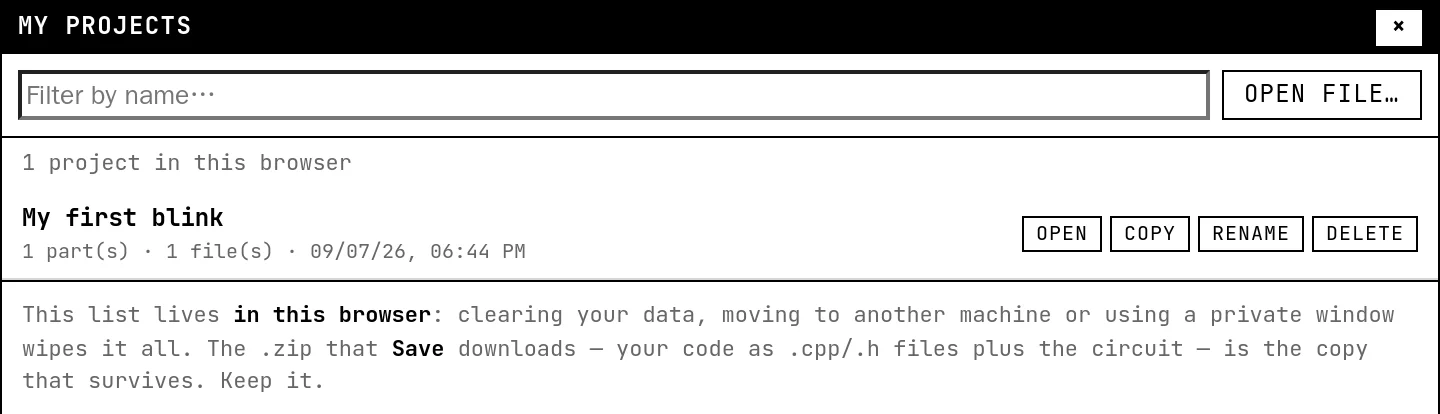
Project → Open project… (Ctrl+O) shows the list, most recent first, with the number of parts and files of each; every row can be opened, copied, renamed or deleted. Open file… loads a downloaded .zip (older .stannum.json files still open too). Opening anything while there are unsaved changes asks first.
Files and folders

A project is made of .cpp and .h files — nothing else is compiled. Use the small buttons in the Files panel:
- file: a new file. Type a path with slashes, like
lib/sensors/light.cpp, and the folders are created along the way. - folder: an empty folder.
- import: a whole folder from your computer, subfolders included.
.inofiles are renamed to.cppon the way in.
Includes are resolved from the root of the project: from sketch.cpp you write #include "lib/sensors/light.h" with the full path; from a file inside a folder, a neighbor is just #include "light.h". A project can have up to 40 files, 100 KB each and 400 KB in total.
The examples gallery
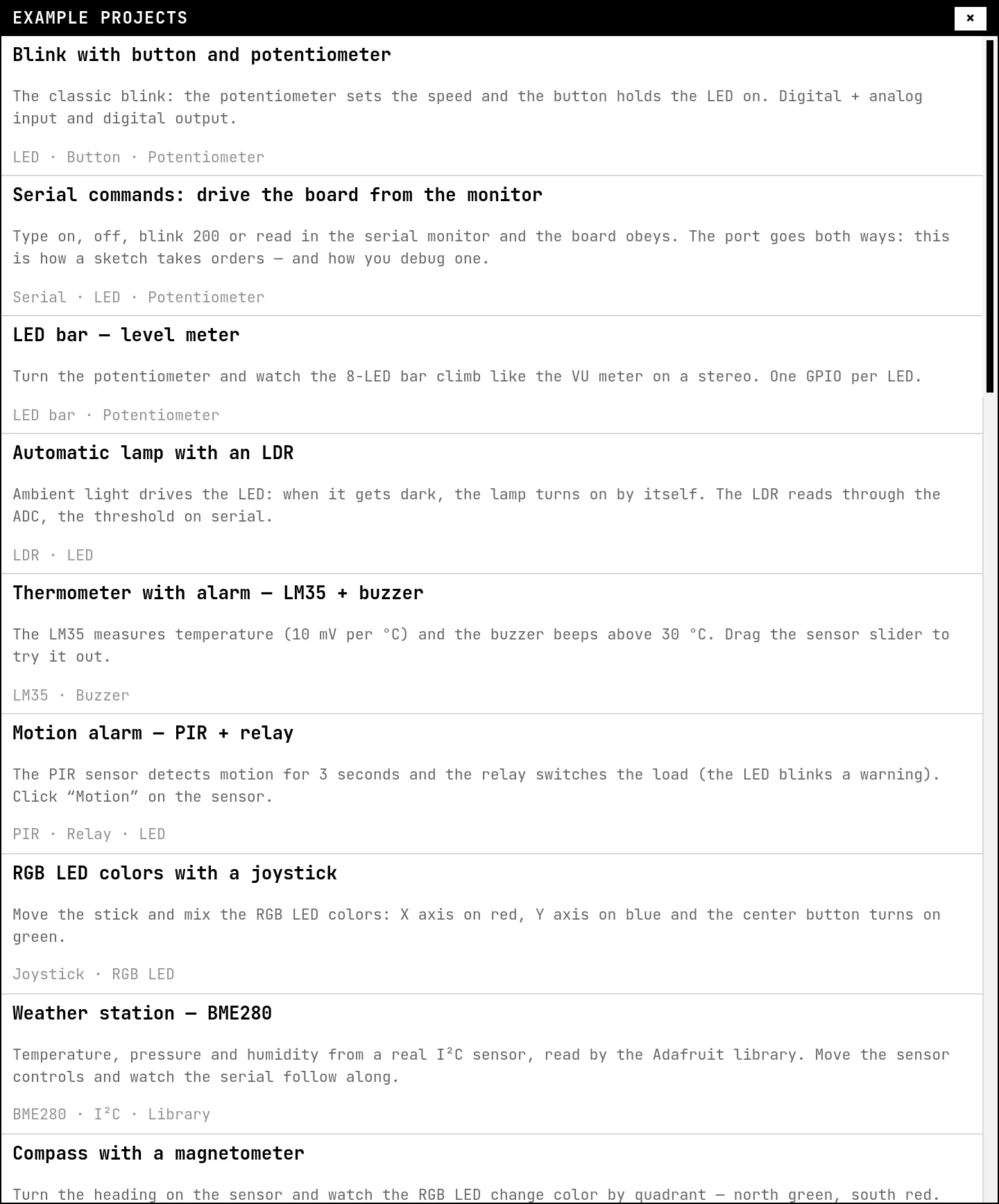
Every example opens complete — parts, wires, code and libraries — and runs with one click. An opened example is a draft: it does not take the name of the project you had open, so the next Save asks for a name instead of overwriting your work. Most guides in this section are built on an example; the guide says which one.
Keyboard shortcuts
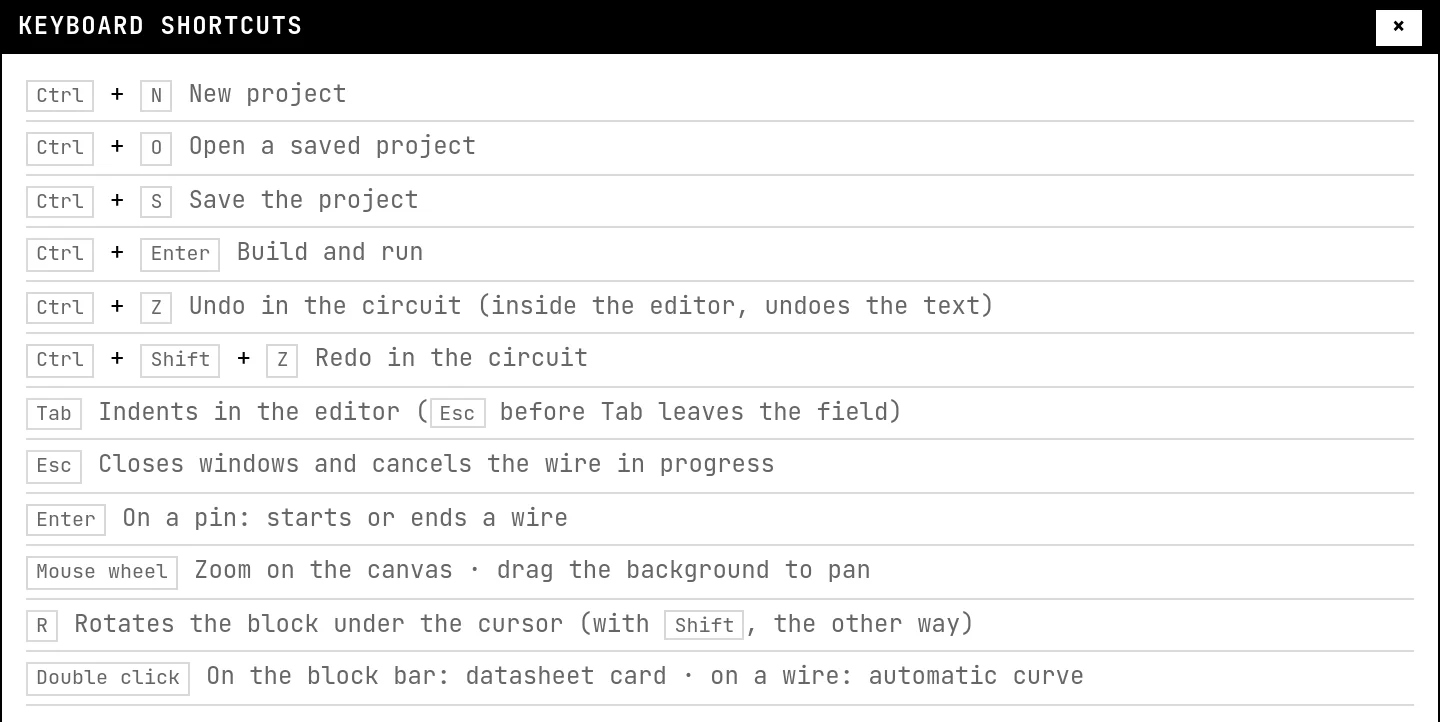
See also
- Project libraries — Adding an Arduino library to a project: searching the official index, pinning a version, using a .zip from a URL, and what happens on the next build.
- A tour of the lab — Every area of the screen and what it is for: the top bar, the files and the editor, the canvas and its toolbar, the output panel, and the datasheet card.