Tutorials / Sensors
LM35 temperature sensor
Ten millivolts per degree, straight from the sensor: read the voltage, multiply by 100.
- LM35
- Active buzzer
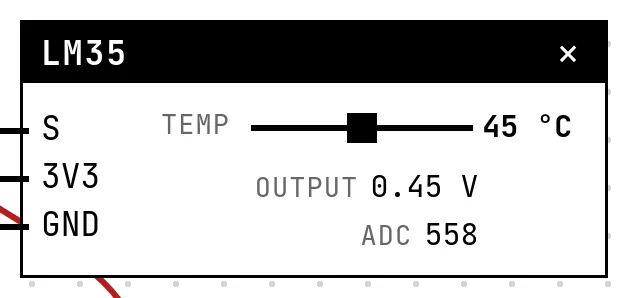
What it is
The LM35 is the simplest temperature sensor to use: its output pin carries 10 mV per degree Celsius, with 0 V at 0 °C. 25 °C is 0.25 V; 100 °C is 1.0 V. No calibration, no library — a voltage and one multiplication.
In the simulator
The block has a Temp slider from −10 to 100 °C and shows the output voltage and the ADC count. Below 0 °C the output sits at 0 V, as the basic LM35 circuit does (reading negative temperatures needs an extra resistor on the bench).
Pins
| Pin | What it is |
|---|---|
| S | output, 10 mV per °C — to a GPIO with an ADC |
| 3V3 | power — to a 3V3 symbol |
| GND | ground — to a GND symbol |
Wiring
The circuit below is the example Thermometer with alarm — LM35 + buzzer from the lab — open it with Project → Open example… and it comes ready to run.
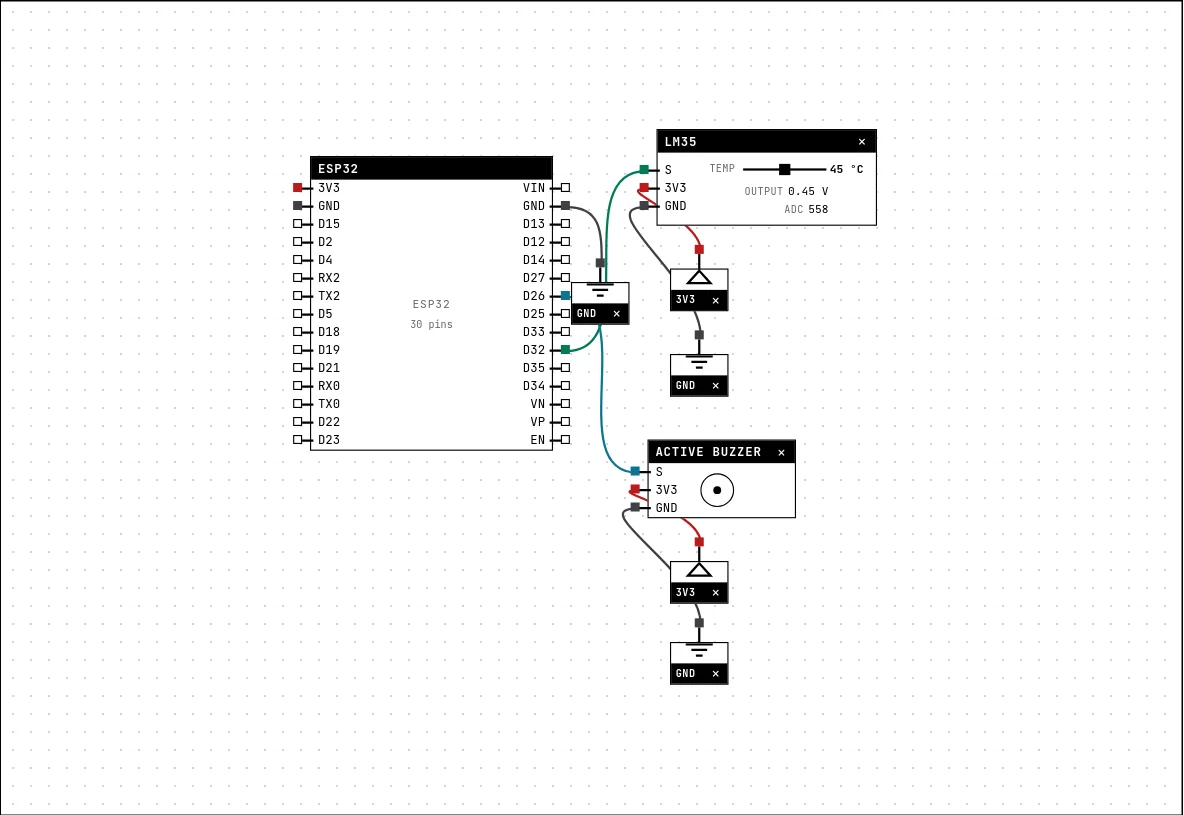
| LM35 pin | Goes to |
|---|---|
| S | D32 on the board (GPIO 32) |
| 3V3 | a 3V3 symbol |
| GND | a GND symbol |
Code
#include <Arduino.h>

const int LM35 = 32;      // 10 mV per degree Celsius
const int BUZZER = 26;
const float LIMITE_C = 30.0;

void setup() {
  Serial.begin(115200);
  pinMode(BUZZER, OUTPUT);
}

void loop() {
  // 12-bit ADC: 0..4095 = 0..3.3 V -> temp = voltage * 100
  float temp = analogRead(LM35) * 330.0 / 4095;
  bool alarme = temp > LIMITE_C;
  digitalWrite(BUZZER, alarme ? HIGH : LOW);
  Serial.printf("temp=%.1f C %s\n", temp, alarme ? "ALARM!" : "ok");
  delay(300);
}
The conversion in one line: analogRead(LM35) * 330.0 / 4095 — 4095 counts are 3.3 V, and 3.3 V would be 330 °C. Above 30 °C the sketch sounds the buzzer.
Run it
Press Build and run. The first build of a project takes a while; after that, only what changed is rebuilt.
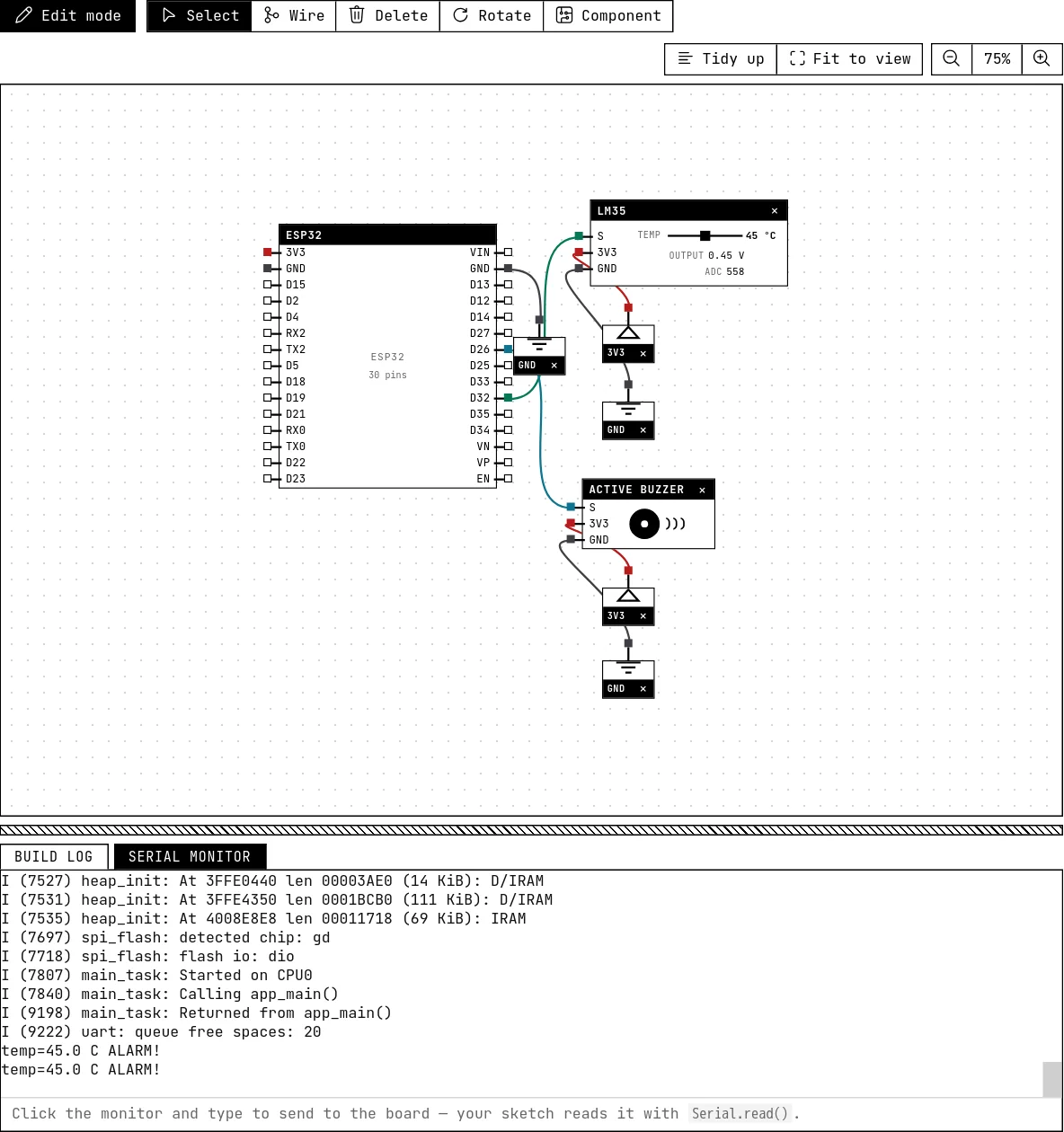
Drag the slider past 30 °C and the buzzer sounds; the serial monitor prints the temperature with one decimal and “ALARM!”.
How the simulation models it
- ADC count = 10 mV × °C ÷ 3.3 V × 4095, exactly. At 25 °C that is 310 counts — a small number, which is why real LM35 readings on a 12-bit ADC jump by 0.8 °C per count. The simulation is steady; the resolution problem is real.
- No self-heating, no noise, no negative range.
Try this
- Print the temperature in Fahrenheit as well.
- Average 32 readings — and notice that here it changes nothing, then think about why it would on a bench.
See also
- NTC thermistor — A resistor that shrinks as it heats — cheaper than the LM35, but the code has to undo a curve.
- Active buzzer — A beeper with its own fixed tone: HIGH sounds it, LOW silences it — and it really sounds in your browser.
- Character LCD with I²C backpack — The classic 16×2 text display cut down to two wires by a small I²C board — text, custom characters and a backlight.