Tutorials / Input
Ultrasonic distance sensor (HC-SR04)
Trigger a ping, time the echo: 58 microseconds per centimeter, measured by the firmware itself.
- Ultrasonic
- Active buzzer
- LED
What it is
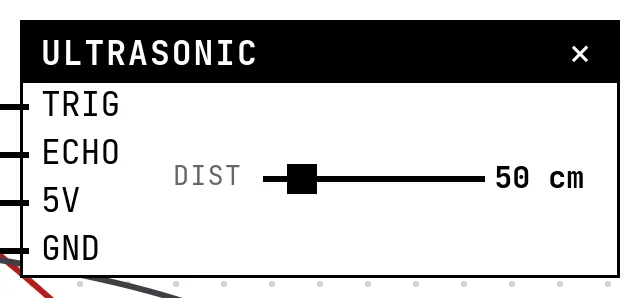
The HC-SR04 sends a burst of ultrasound when TRIG is pulsed for 10 µs and raises ECHO for as long as the sound takes to come back: about 58 µs per centimeter of distance. The firmware measures that pulse with pulseIn() — the timing is the data, which is why this sensor is the classic exercise in microsecond timing.
In the simulator
The block has one slider, the distance to the obstacle, from 2 to 400 cm (the useful range of the real sensor); the Control scale setting shows it in meters instead. Everything else happens in the simulation: when the firmware pulses TRIG, the ECHO pulse comes back with the width that distance calls for.
Pins
| Pin | What it is |
|---|---|
| TRIG | trigger — to a GPIO the code pulses |
| ECHO | echo — to a GPIO the code times |
| 5V | power — to a 3V3 symbol here; on a bench the module wants 5 V, and its ECHO then returns 5 V — use a divider |
| GND | ground — to a GND symbol |
Wiring
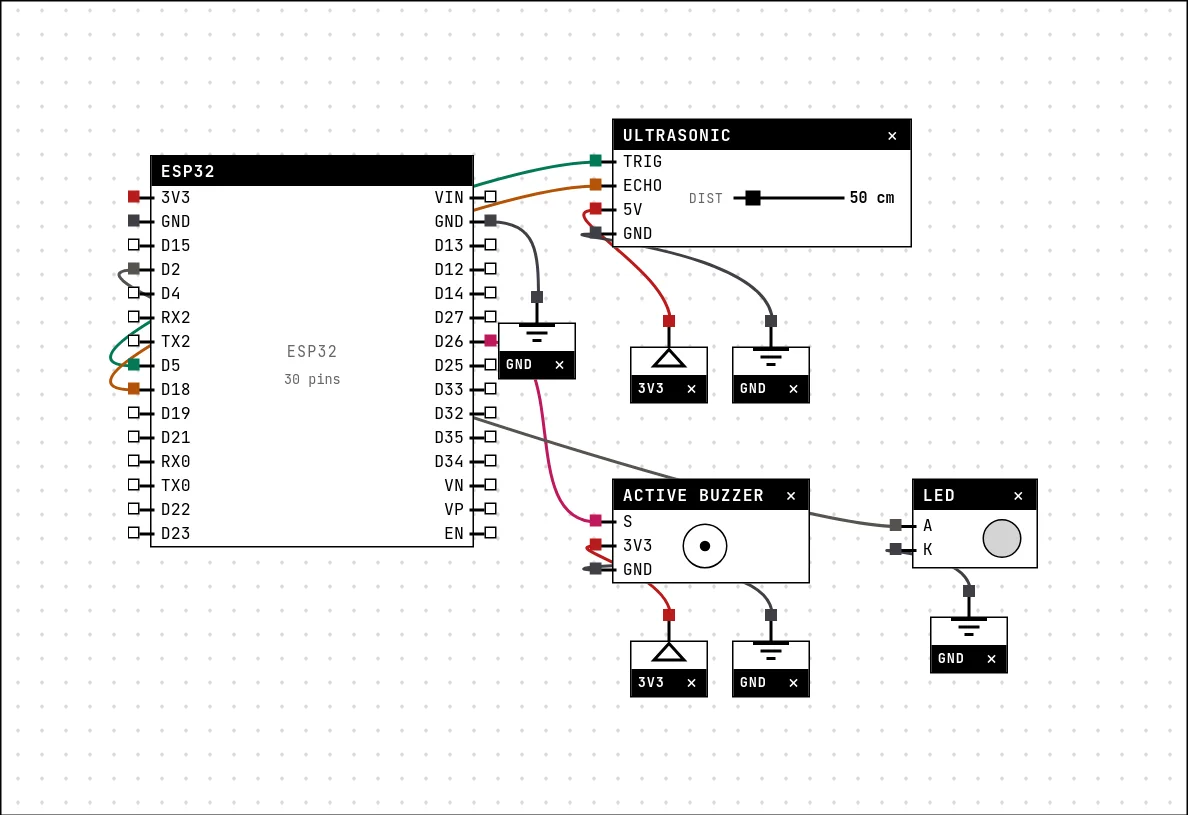
The circuit below is the example Parking sensor — ultrasonic + buzzer from the lab — open it with Project → Open example… and it comes ready to run.
| Ultrasonic pin | Goes to |
|---|---|
| TRIG | D5 on the board (GPIO 5) |
| ECHO | D18 on the board (GPIO 18) |
| 5V | a 3V3 symbol |
| GND | a GND symbol |
Settings
Double-click the block's title bar to open its card, then the Settings tab. Changes apply to the running simulation right away.

| Setting | Accepts | Default | Notes |
|---|---|---|---|
| Control scale | Centimeters (2 to 400) · Meters (0.02 to 4) | Centimeters (2 to 400) | The useful range of the HC-SR04 is 2 cm to 4 m; below 2 cm it cannot tell the echo apart. |
Code
#include <Arduino.h>

const int TRIG = 5, ECHO = 18, BUZZER = 26, LED = 2;

// A single HC-SR04 reading is noisy — on the real sensor too, because the echo
// bounces back crooked off soft surfaces, off angles, off the air temperature.
// The standard recipe is to measure several times and keep the MEDIAN, which
// throws out the wild values without needing a moving average.
long medirUmaVez() {
  digitalWrite(TRIG, LOW);  delayMicroseconds(4);
  digitalWrite(TRIG, HIGH); delayMicroseconds(10);
  digitalWrite(TRIG, LOW);
  return pulseIn(ECHO, HIGH, 40000UL);      // µs; 0 = no echo
}

float medirDistancia() {
  const int N = 5;
  long v[N];
  int n = 0;
  for (int i = 0; i < N; i++) {
    long us = medirUmaVez();
    if (us > 0) v[n++] = us;                // drop the timeouts
    delay(20);
  }
  if (n == 0) return -1;

  for (int i = 1; i < n; i++) {             // sort (n is tiny)
    long x = v[i]; int j = i - 1;
    while (j >= 0 && v[j] > x) { v[j + 1] = v[j]; j--; }
    v[j + 1] = x;
  }
  return v[n / 2] / 58.0;                   // median, in cm
}

void setup() {
  Serial.begin(115200);
  delay(300);
  pinMode(TRIG, OUTPUT); pinMode(ECHO, INPUT);
  pinMode(BUZZER, OUTPUT); pinMode(LED, OUTPUT);
  digitalWrite(TRIG, LOW);
  Serial.println("parking sensor ready — move the distance on the sensor");
}

void loop() {
  float cm = medirDistancia();
  if (cm < 0) { Serial.println("no reading"); delay(300); return; }

  // gap between beeps: right on top = continuous, far away = quiet
  int intervalo;
  if (cm < 30)       intervalo = 80;
  else if (cm < 80)  intervalo = 250;
  else if (cm < 150) intervalo = 600;
  else               intervalo = 0;         // out of useful range: silence

  Serial.printf("%.0f cm%s\n", cm, intervalo ? "" : "  (clear)");

  if (intervalo) {
    digitalWrite(BUZZER, HIGH); digitalWrite(LED, HIGH);
    delay(40);
    digitalWrite(BUZZER, LOW);  digitalWrite(LED, LOW);
    delay(intervalo);
  } else {
    digitalWrite(BUZZER, LOW);  digitalWrite(LED, LOW);
    delay(300);
  }
}
The three-line trigger, then pulseIn(ECHO, HIGH, 40000) with a timeout, then µs / 58. The example measures five times and keeps the median — the standard recipe, because a single reading of the real sensor is noisy — and beeps faster the closer the obstacle is.
Run it
Press Build and run. The first build of a project takes a while; after that, only what changed is rebuilt.
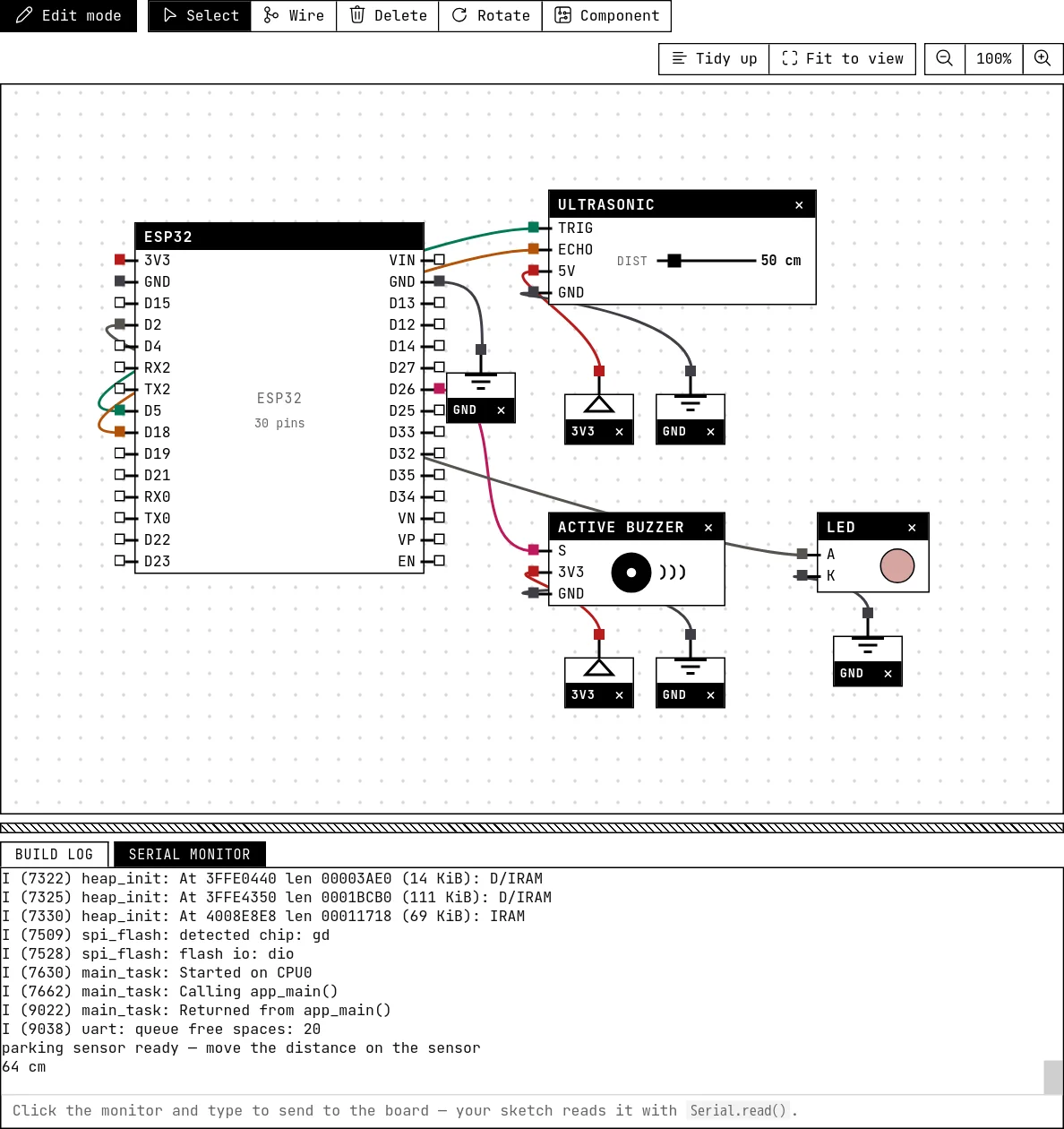
Drag the distance slider: the serial monitor prints the centimeters and the buzzer's rhythm changes — continuous under 30 cm, slow around a meter, silent past 1.5 m.
How the simulation models it
- The echo is generated by the simulation with microsecond precision: on the rising edge of TRIG it waits about 3 ms (the real module answers in ~0.5 ms, but the firmware's first read of the pin can come later, and starting the pulse before it would make
pulseInmiss it), then holds ECHO HIGH for 58 µs × cm. - The readings are exact and repeatable — the median in the example protects against noise that exists on the bench, not here. Keep it anyway.
- Both TRIG and ECHO must be wired; the message area says so otherwise.
Try this
- Print the distance in inches as well (÷ 148 instead of ÷ 58).
- Light an LED bar as a proximity gauge: more segments the closer the obstacle.
See also
- Active buzzer — A beeper with its own fixed tone: HIGH sounds it, LOW silences it — and it really sounds in your browser.
- LED bar — A row of 2 to 16 LEDs, one GPIO each — the level meter of every stereo.